What you seeThe face check fails, or the camera never starts
Binance face check not passing: camera, conditions, documents, review
Binance’s face check needs two things from you: camera access on your device, and a short list of conditions in front of the lens. No hat, no glasses, no filters, enough light, and in the app a face that is centred, fully visible and with eyes open. That list, from Binance’s identity verification page, is what you can control, so work through it one item at a time.
The place where the check stops tells you where to begin. A black or frozen camera window is a permission problem. A live picture that never passes is a conditions problem. A check that passed but a verification that did not is a review question, covered last.
Camera never shows a picture
Binance’s page has one line on this: enable camera access on your device. Where that switch is depends on what you verify with.
| You verify with | Where the camera permission lives |
|---|---|
| Chrome on a computer | More, Settings, Privacy and security, Site settings, then Camera under “Permissions”; also the computer’s own camera setting |
| The Binance app on Android | Settings app, Apps, the Binance app, Permissions, Camera |
| The Binance app on iPhone | Settings, then Privacy & Security, then the camera permission for the Binance app |
In Chrome, Google’s help page Use your camera and microphone in Chrome says a site asks for the camera with three choices: Allow while visiting the site, Allow this time or Never allow. If Chrome itself is blocked from the camera, it may show a dialog with Open settings; turn on Camera there, then restart Chrome when your computer asks. Google adds that on a work or school computer, an administrator may control these settings and you may not be able to change them.
On Android, Google’s page Change app permissions on your Android phone gives the path in the table and lists the choices for the camera, including Allow only while using the app, Ask every time and Don’t allow. Pick one of the first two. The same page describes a separate switch that turns camera access off for the whole phone, under Security & privacy, Privacy, Privacy controls. If the app permission is allowed and the camera is still black, check that Camera access there is on.
On an iPhone, Apple’s support guide says apps must ask before using the camera, and that the list of apps that asked is under Settings, Privacy & Security, camera. Turn the switch on for the Binance app. Apple also says a green indicator appears whenever an app is using the camera. If you see it during the check, the camera is reaching the app.
B-01On screenThe browser asked for the camera and I chose Never allow
Chrome remembers that choice for the site. Open Site settings, then Camera, find Binance under “Not allowed to use your camera or microphone”, and change it to Allow. Then start the verification again from the Identification page. If your computer has no working camera at all, the website’s document step offers to verify with your phone by scanning a QR code, or you can use the Binance app instead.
Picture shows but the check won’t pass
Each condition below is quoted or paraphrased from Binance’s How to Complete Identity Verification for a Personal Account, checked October 2026. Its website and app tabs word the step slightly differently, so both are combined here, each condition with a check you can do before the next attempt.
- Camera access enabled. You can see yourself moving live in the frame, not a still image.
- No hat. Take off caps, hoods and anything else on your head.
- No glasses. Take off any glasses before you start.
- No filters. Turn off beauty modes, background effects and any camera or video app that adds effects.
- Sufficient lighting. Your face is evenly lit, with the light source in front of you rather than a window behind you.
- Face centred in the frame (app). Your face is in the middle of the frame on screen, not at its edge.
- Whole face clearly visible (app). Nothing covers part of it, such as hair, a hand or a mask.
- Eyes open (app).
- Follow the instructions on the screen. Do what the screen asks, when it asks.
- Do not refresh the browser, or refresh or quit the app, during the process. Silence calls and notifications before you start.
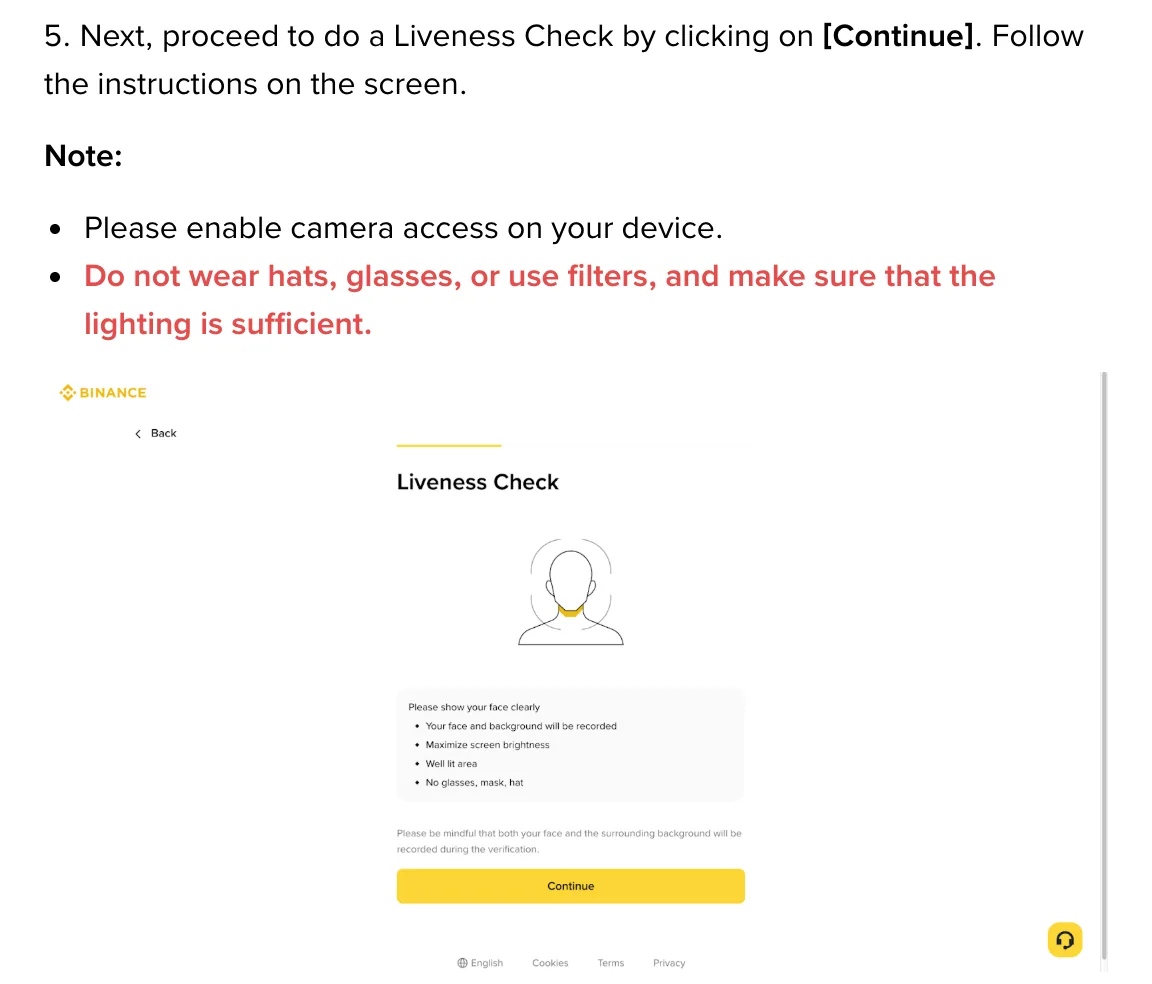
B-02On screenI can see myself, but each attempt ends and sends me back to try again
Go through the list above once more, this time changing one thing per attempt so you can tell which one mattered. Move to a different spot with light in front of you. If you are on the website, switch to the Binance app, or to your phone through the QR code at the document step.
The document side of the same submission
The face check follows the document upload, and both go into one submission. Binance’s page asks you to choose your residence, the document’s issuing country or region and the document type. In the app, it says most users can choose a passport, ID card or driver’s license, depending on the country. For an ID card, upload both the front and the back. Whether manual upload is available depends on the country.
After the face check comes the personal information screen. Binance’s page says all information must be consistent with your ID documents, and you won’t be able to change it once confirmed. Check your name, date of birth and document number against the document itself before you click Continue. If you are not yet at this step, the full route from sign-up to verification is on the fixbook page about opening a Binance account.
Two ways around a failing check break Binance’s rules. Using someone else’s face or document: the verification page says you cannot transfer your account to another person or substitute another person’s ID for your own. Opening a second account to start over: clause 2.1 of the Binance Terms of Use makes having no existing Binance account a condition of eligibility, and clause 20.1 lets Binance restrict accounts when someone opens several without Binance’s written consent.
Submitted, but not approved or still under review
Binance’s page says: “Submitted documents are usually reviewed within 48 hours. However, it may take longer in some particular cases.” It also says Binance sends a notification once the application is verified, by email according to the app tab. Inside 48 hours, wait and do not submit again.
B-03On screenMore than 48 hours, and the status still has not changed
Look in the account’s email inbox, including spam, for a message from Binance about your verification. Then check the status on the Identification page (Account, then Identification on the website). If nothing has changed, use the chat on the official Binance website.
B-04On screenThe result says my verification was not approved
Binance’s verification page does not explain rejections or say how to try again. Use the chat on the official Binance website, say which step you reached, and ask what was not accepted. Ignore anyone in private messages who offers to get the verification through for you.
The point to stop retrying and ask Binance
Suppose the camera shows a live picture, every condition on the list was met in the same attempt, and you have tried both the website and the app, or the phone through the QR code. At that point another attempt only repeats a check you have already ruled out. Open the chat on the official Binance website instead, and say exactly where the process stops.
Questions people ask
Why does my Binance face verification keep failing?
Check the conditions on Binance's identity verification page: allow camera access, do not wear a hat or glasses, do not use filters, and make sure the lighting is sufficient. The app version adds that your whole face should be clearly visible and centred in the frame, with your eyes open. The page also says not to refresh the browser or quit the app while the process runs.
Can I do Binance face verification without a webcam?
Yes. On the Binance website, the document upload step offers to verify with your phone by scanning a QR code. The Binance app also runs the whole identity verification on your phone, including the face check.
Can a friend or family member do the face check for me?
No. Binance's identity verification page says you cannot transfer your account to another person or substitute another person's ID for your own. The face check has to be your own face, matching your own document.
Filed under these lines
T-3Identity verificationT-1Sign-up