What you seeIdentity verification says my ID document has already been used
Binance says your ID document is already used: the problem is an older account
What does the verification screen say? If it tells you the document has already been used, that ID has passed identity verification on a different Binance account. Your new account isn’t the problem. The older one is.
Which way you go depends on that older account. Yours, and you want it back: recover it. Yours, but you’re done with it: check the closure consequences before deciding. You don’t remember ever having one, or you think someone else signed up with your ID: contact Customer Support through Binance’s official site.
Not sure where the old account came from? Three questions narrow it down:
- Did you ever sign up with another email address or phone number and get verified? Years ago still counts.
- Did you ever send a photo of your ID to someone else so they could register or verify with it?
- Have you closed a Binance account before?
A yes to the first means the account is yours: recover it, or close it. A yes to the third means it can’t be recovered, and the new account may be sitting in the verification block that follows a closure. A yes to the second, or no to all three, is something you can’t fix from your own screen. That one goes to Support.
The old account is yours and you want it: get back in first
Start by trying to recover the existing account. Once you can sign in, open Account → Identification and check its status. Binance’s identity verification guide lists expired documents and changed identity details among the reasons to update verification. Complete any checks shown there before using the account.
Find the line that matches what you’re missing.
You know the email or phone number, not the password. On Binance’s site, click Log In, enter the email or phone number and click Next. On the password screen, click Forgot password?.
You know the password, but the old email, phone or authenticator is gone. Log in as usual. After the password you reach the Security Verification Requirements page. Choose the method you can’t use and click Security verification unavailable? to request a reset. The full route, review times and withdrawal limits after a reset are in Google Authenticator on a new phone. If the authenticator went missing when you changed phones, that page also covers getting the codes back without a reset.
Password forgotten and no verification method works. Binance’s 2FA reset guide is direct about this one: if you can’t reset your password because you can’t access any 2FA, contact Customer Support.
You disabled the old account yourself. A disabled account can be unlocked. Log in, choose Unlock in the pop-up and complete the security verification.
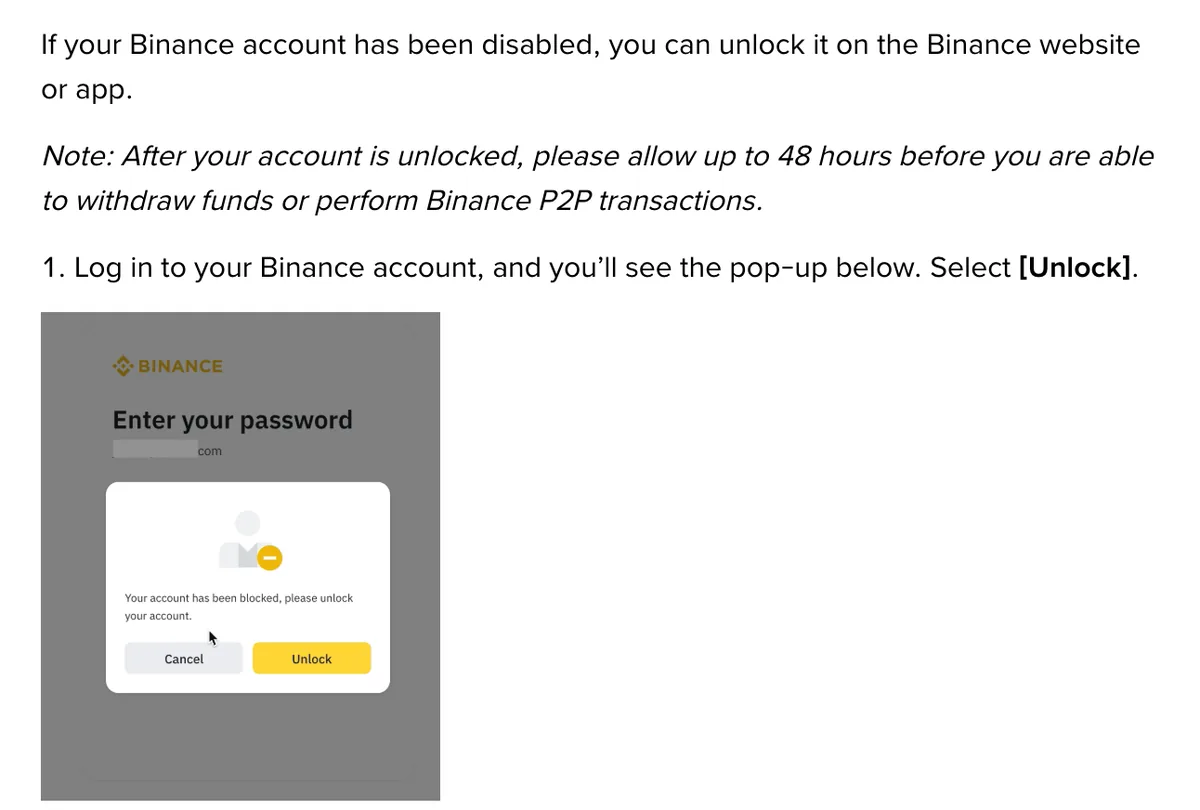
After the unlock, allow up to 48 hours before withdrawals or P2P work again. If the unlock fails, the unlock page says to try again or reach out to Customer Support.
B-01On screenNow I remember: I opened the old account years ago with a different email
Log in with that email and follow the matching case above. Can’t remember which address it was? Search your inboxes for mail from Binance. The verification page says the app sends an email notification once verification is approved. Use that email as a clue to the address you registered with; if you later changed the account email, you will need the replacement address.
Found the address but can’t get into it anymore? That is the example Binance’s reset page uses. On Security Verification Requirements, pick Email, click Security verification unavailable? in the pop-up and enter a new email address when asked. Old email and old phone both dead, password forgotten too: contact Customer Support, through the official site only.
Don’t open yet another account to get past the message while you work on this. Recover the existing account, or ask Support to investigate which account is associated with your document. Another sign-up does not resolve the document conflict you are trying to identify.
Need to keep funds separate? The identity verification FAQ lists a separate entity account or up to 5 sub-accounts under an existing verified personal account. Check the options your account offers and the requirements for entity verification before applying. These help-page details were checked in October 2026; follow any verification requirements or waiting periods displayed in your own account.
Closing the old account: it can’t be undone, and the new one may wait 30 days or longer
How to Close My Binance Account? puts its warnings above the steps. Two of them decide this case:
- Closure is irreversible. You can download your transaction history first, with the tool the page links.
- If you create another account after the closure, identity verification may be blocked for 30 days or longer.
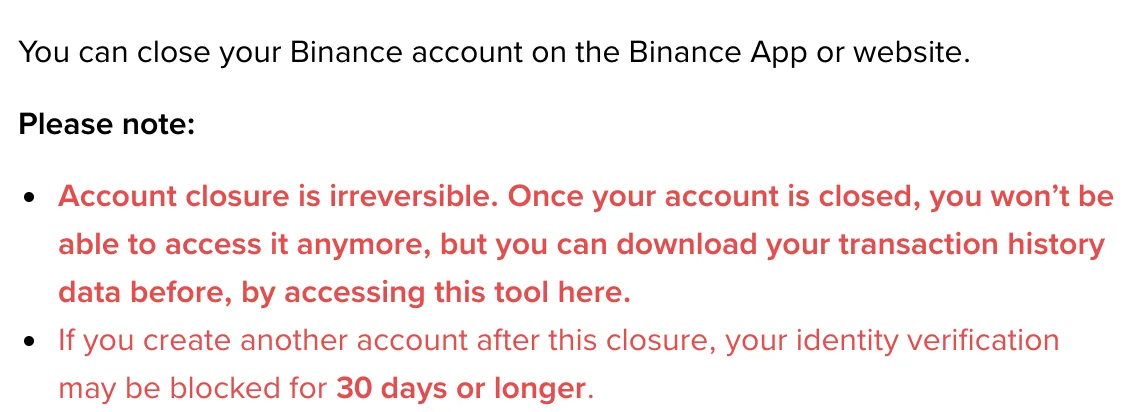
Read the second one slowly. It talks about an account created after the closure. Yours was created before. Whether the same block lands on it, the page doesn’t say. Once the old account is closed, try submitting verification on the new one and see what the screen tells you.
There’s a referral side too. Question 8 of Binance’s Referral Pro FAQ covers someone who registered again with the same identity details and a different referral relationship: the system flags it, and the new relationship earns nothing. If the new account already has someone else’s code, or you planned to add one later, read closing and reopening a Binance account first. It covers the “KYC information not used on another account within the past 180 days” condition for binding after sign-up, plus the closure steps in the app and on the website.
Move every asset off the old account before you click Close Account. The closure page says anything left behind is lost and cannot be recovered. Once you tick the box in step 6, click Close Account and pass the security verification, the account is gone.
Undecided? Then don’t close. If you can still log in to the old account, keep it as your account and stop verifying the new one. Closing buys you one thing: a chance to use this ID on the new account. It costs you the old account for good, and maybe a wait before the new one can verify.
B-02On screenI closed the old account long ago, and the new one still won't verify
A closed account can’t be restored, so the recovery steps above don’t apply. Go back to the closure page’s wording: verification on a new account may be blocked for 30 days or longer. “Or longer” means day 31 can still be blocked.
The same page says Binance is legally obliged to keep certain personal data for a period after closure. Closing didn’t wipe your ID from Binance’s side. Do not treat another closure as a way to clear that record: a further new account may face the same verification restriction.
Verify with your own ID and nobody else’s. If it has been more than 30 days since the closure and the page still won’t take your submission, with no reason shown, contact Customer Support on the official site.
You don’t recognise the old account, or someone may have used your ID
Nothing on your own screen changes this. The way in is Customer Support on Binance’s official website. Binance’s page on fake support numbers says support is only offered there, and that anyone phoning you as Binance is a scammer. More on spotting them in fake Binance support calls and DMs.
When you open the chat, give everything in one go:
- the exact message on the verification screen;
- the email or phone number on the new account;
- your answers to the three questions at the top of this page.
If you did hand your ID to someone, say so, including when and what you shared. Ask Support to investigate the other account. Do not send more ID copies or login details to that person.
Someone online offering to “unbind” your ID or “release” your document is not Binance, however official they sound. Don’t send them ID photos or account details.
Don’t verify the new account with a relative’s or friend’s ID either. The verification page says you can’t use another person’s ID in place of yours.
Recovery dead ends lead here too. Password gone with no working 2FA, or an unlock that keeps failing: Binance’s next step for both is Customer Support. Open the chat on the official site, give the email or phone number the old account used, and carry on from there.
Short answers
My ID is tied to another Binance account. How do I get a second account?
A second verified personal account is not one of the alternatives in Binance's identity verification FAQ. It lists a separate entity account or up to 5 sub-accounts under an existing verified personal account. Check which options your account offers and the entity verification requirements before applying.
If I close the old account, when can my ID be verified on the new one?
Binance doesn't give a date. Its closure page only says that if you create another account after closing one, identity verification may be blocked for 30 days or longer, so day 30 is not a guaranteed finish line. The closed account can't be restored, so move your assets out and download your transaction history with the tool on that page before you close.
Filed under these lines
T-3Identity verificationT-9Closing and reopening