What you seeSomeone claiming to be Binance support says my account has a problem
Fake Binance Support Calls and DMs: What to Do
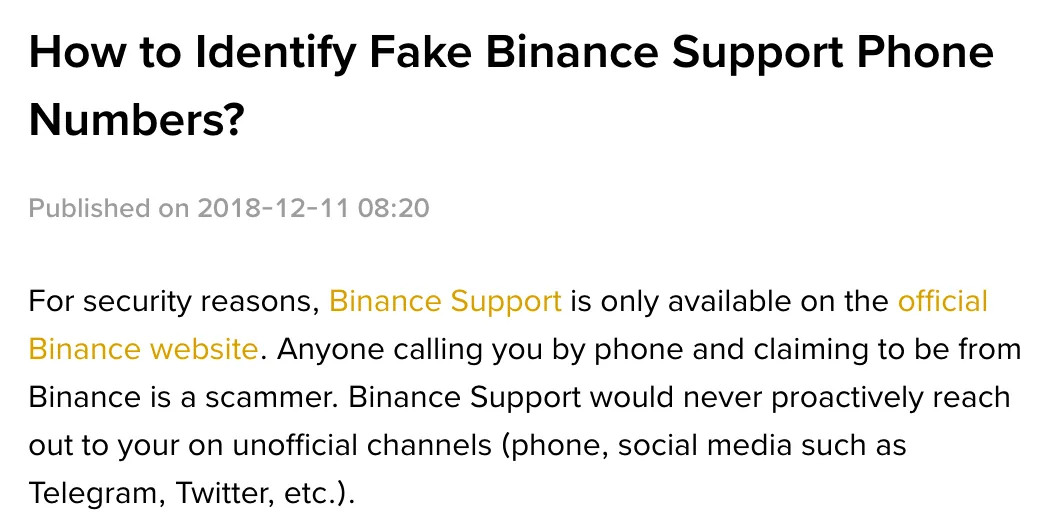
“Anyone calling you by phone and claiming to be from Binance is a scammer.” That sentence is on Binance’s help page How to Identify Fake Binance Support Phone Numbers?. The same page says that, for security reasons, Binance Support is only available on the official Binance website, and that support would never proactively reach out to you on unofficial channels. It names phone, plus social media such as Telegram and Twitter.
If that is the call you received, hang up. To check your Binance account, open the official site yourself or use the app you already installed. Do not use the caller’s link, disclose a code or turn on screen sharing.
For unexpected requests for money, the US Federal Trade Commission’s page What To Know About Cryptocurrency and Scams says legitimate businesses and government agencies won’t email, text or message you on social media asking for money, and won’t tell you to pay in crypto. A department name or staff ID does not make that request safe. Stop the conversation and contact the organisation through a channel you already know is genuine.
Where did they find you? Four ways in
A call from “support”, “risk control” or “compliance”
They open with the exchange’s name. Your account had a strange login. You’re suspected of a violation. Your account is about to be frozen. Or they say they’re from the risk or compliance team and need you to “help verify” something. Some read out a staff number. The caller ID may even look official.
The FTC’s How To Avoid Imposter Scams lists the tricks impostors use to sound real: faking caller ID so the number seems to belong to a government office or a company you know, quoting an employee or badge number, even borrowing the name of a real official. A familiar number on your screen or a plausible staff ID does not establish who is calling.
Hang up when an unsolicited caller claims to be Binance support. Still worried about your account? Check the account yourself, either in the app already on your phone or by typing the official address into the browser. If the account really is restricted, the official unlock flow is in Binance account frozen or locked.
A text or email with a phone number or a link
Something like: “Unusual activity on your account. If this wasn’t you, call…” Or a link asking you to “verify your identity” or “lift the restriction”.
The FTC’s impostor page says not to click links or call numbers in a message you weren’t expecting. If you think it might be real, contact the organisation through a phone number, website or email you know is genuine, not the one in the message. So there is one move here: don’t call back, don’t tap. Copy the number or web address out of the message and check it in Binance Verify, covered in the checking section below.
A DM or group chat “official”
Someone messages you on Telegram or X, or adds you from a trading group. Their avatar and name carry the exchange’s logo and they say they work there. They may offer to unblock your account, tell you you’ve won a giveaway, or want to show you an investment.
Binance’s page lists every one of these as things it will never do: proactively contact users on unofficial channels to offer investment advice, entry into a free giveaway, or a “backdoor” to unlock your Binance account. It goes on: when someone claims to be a “Binance employee”, don’t instantly trust them, look at the username or email address tied to their account, and check it with Binance Verify. It also says to stay careful even if the Telegram ID shows as “Verified”.
Put their username into Binance Verify. Not found? Treat them as an impostor.
Found? Still don’t handle anything about your account inside that chat, and never move money because they asked. If it really concerns your account, go back to the official site and deal with it there.
B-01On screenThey know my full name and my sign-up email
Knowing your details doesn’t make them official. The Shenzhen police article on screen-sharing fraud, quoted further down, lists disguise as the first step: scammers pose as police, prosecutors or platform support and use information they already hold about the victim to build a believable story. In its example, the fake agent read out the victim’s correct name and flight details.
Do not confirm more details to prove that the account is yours. End the conversation and check your account independently.
A “support number” you searched for yourself
This one gets its own section because you dialled. It feels like you went looking for support. Something went wrong with the account, you searched “exchange support phone number”, found a number and rang it.
Binance’s fake support numbers page gives no customer service number to call. The FTC’s crypto scams page adds that scammers posing as well-known companies may also make pop-ups appear on your computer; call the number on the pop-up and a scammer answers. A number in a search result or pop-up is not evidence that you have found Binance support. To reach support, type the official address yourself, log in, and go in from the site.
Where the script goes: from “account problem” to “move it to a safe address”
The sources quoted here were checked in October 2026: Binance’s How to Identify Fake Binance Support Phone Numbers? and Binance Verify; the FTC’s What To Know About Cryptocurrency and Scams and How To Avoid Imposter Scams; and the Shenzhen Public Security Bureau’s Chinese-language article on screen-sharing fraud, 揭秘「共享屏幕」诈骗.
Impostors open with different stories but push in the same direction. The table puts the stages these sources describe in order, with where each one comes from. One call won’t always hit every row. Use it to see how far along they’ve pushed you.
| What they’re saying now | What they want you to do | Source describing this stage |
|---|---|---|
| There’s fraud on your account, your money is at risk | “Fix” it their way | FTC crypto scams page, section on impostors of well-known businesses |
| There’s a legal problem, the account is frozen for an investigation | Follow their steps to “solve it and protect your funds” | FTC crypto scams page, section on government and law enforcement impostors |
| They can unlock your account through a “backdoor” | Do as they say | Binance fake support page, listed as something Binance never does |
| They need to “guide you”, so please install an app | Install a meeting app with screen sharing and turn sharing on | Shenzhen police anti-fraud article |
| They walk you into your bank or exchange app | Type account numbers, passwords and codes while your screen is shared | Same article |
| The money has to move now to be safe; here’s an address to “hold” it | Send your coins to the wallet address they give | Both FTC pages; Binance says it will not contact you through unofficial channels asking you to send coins |
The last row is the point of the whole call. The FTC impostor page says not to believe anyone who tells you to move money quickly to “protect” it; anyone saying that is a scammer. The crypto scams page adds that some will stay on the phone and walk you through every step until the money is sent. If they won’t let you hang up or stop to check on your own, that alone should worry you.
Share your screen and you’re no longer the only one seeing the codes
The Shenzhen police article’s headline asks: “I never gave them my password or the code, so how did they still get my money?” The answer it gives: screen sharing is a convenience feature in meeting apps, and once it’s on, what your phone shows also appears on the other person’s computer or phone, bank account numbers, passwords and verification codes included. You don’t have to read the code aloud. When the text pops up on your screen, it pops up on theirs.
The article notes these apps may come straight from an app store or through an unknown link. The app itself isn’t necessarily the problem. Turning on sharing is. One of the police tips: whatever reason they give, refuse to share your screen.
B-02On screenI already installed the screen-sharing app they told me to
Still on the call or still sharing: stop sharing, hang up, and don’t answer that number again.
Installed, but you never opened your exchange or bank app while sharing, and no password or code ever appeared on screen: uninstall it and ignore any further calls.
You did open an account app, typed a password, or a code popped up while sharing: go straight to “You shared your screen” in the last section. Don’t wait for their next move.
Checking who they are: Binance Verify, the site’s own chat, and your anti-phishing code
Binance Verify. The page accepts website addresses, email addresses, phone numbers, Telegram and other social media accounts. Enter the number, web address or username they gave you and click Search to see whether the source is verified and officially from Binance. On binance.com there’s a Binance Verify link in the footer. The page also says, in its own words, that it only assists identity verification, that verification does not grant authorization for any actions, and that Binance will never request funds or tokens via private communications.
A match applies to the details you entered, not to the person contacting you. Caller ID can be spoofed. Do not send money or disclose a code because the lookup returned a match.
The chat inside the official site. To reach real support, type the official address into your browser yourself and log in. On binance.com the footer has a 24/7 Chat Support link. Don’t enter the site through a link someone sent, and don’t dial a number you searched.
Your anti-phishing code. If they sent an email or a text, compare it against the anti-phishing code you set. How to do that, and why a text can’t be judged on this alone, is on a Binance code you never requested.
B-03On screenThey sent a link and say I need to verify my identity
Don’t open it. The FTC crypto scams page warns not to click links in an unexpected text, email or social media message, even if it seems to come from a company you know. The FTC’s phishing guidance says links and attachments in these messages can install harmful software.
To check whether it’s official, long-press and copy the address without opening it, then paste it into Binance Verify with the type set to Website. Already opened it and typed your login into it? Treat the password as handed over and go to the last section.
Why fake support asks for passwords, codes or remote access
Keep your password and verification codes private. Do not give an unexpected caller remote access to your device or transfer coins to an address they supply.
The password gets them in. The FTC’s phishing guidance says that’s exactly what scammers try to steal, and with it they may get into your email, bank or other accounts. The code is the layer on top. The same guidance says multi-factor authentication makes it harder for a scammer to log in even with your username and password, so reading the code out unlocks that layer for them. Screen sharing can expose both if they appear on screen. The police article explained above shows passwords and codes appearing on their side as soon as sharing is on.
Remote access goes one step further. In the FTC’s description of impostor scams, what they’re after isn’t just money but access to your financial accounts, and it lists giving someone access to your computer or phone next to paying them or giving personal information as reasons to act as though you’ve been scammed. As for sending coins to an address they give you, Binance says it will not make such requests through unofficial channels, and the FTC says legitimate businesses won’t ask you to pay in crypto. The FTC also warns crypto payments usually can’t be reversed. Normally you only get the money back if the person you paid sends it back.
Already handed something over? It depends on what
First cut contact. Don’t take their calls. Don’t answer their messages. Then find your case.
You read out a code, or typed your password into their link
Log in yourself, using the entry described above: the address you type, or the app already installed. Look for anything you didn’t do. Change the login password, then check that the linked email, phone number and authenticator are still yours. The FTC’s phishing guidance names multi-factor authentication as one way to protect accounts; if it isn’t on, turn it on now.
If there’s activity you didn’t do, disable the account. On Binance, the page How to Disable My Binance Account? gives that exact purpose: disabling the account to protect your assets when you notice suspicious activity. Where to tap in the app and on the website is in step 1 of what to do when your email is hacked. To get back in later, use Binance’s How to Unlock My Binance Account? flow.
You shared your screen, or installed the app they pushed
End the sharing and uninstall the app. The FTC’s phishing guidance says that if you think you downloaded harmful software, update the security software on your computer, run a scan, and delete anything it flags.
If, during the share, you opened your exchange or bank app, typed a password, or a code appeared on screen, assume all of those are gone. Change passwords and check the account as in the case above, and disable it if anything is unfamiliar. Do the password change on a different device, one that has never had that app on it. If sharing or remote access is still active, the other person may see what you enter. An app merely being installed does not show that sharing is active. If they ever had remote control of your device, this is your case as well.
The coins already went to their address
Keep everything you can first: the number they called from, screenshots of the chat, the wallet address they gave you, and the withdrawal record on your side. Contact the exchange you sent from through the support entry on its official site, then report it to the police.
Be wary if someone later offers to recover the coins for a fee. The FTC’s Refund and Recovery Scams page says someone who contacts you out of the blue and wants a fee upfront is a scammer, and that government agencies and legitimate organisations will never ask for money to help you get a refund, or guarantee you’ll get it back.
Reaching the real Binance support
Open binance.com yourself and use 24/7 Chat Support in the footer. Tell support what you disclosed or sent, and keep the message history and transaction record available. If you cannot log in, explain that in the support chat; do not go back to the person who contacted you for help.
Questions people ask
Will Binance support ever phone me? Can I call a support number I found online?
No, and don't. Binance's page How to Identify Fake Binance Support Phone Numbers? says support is only available on the official Binance website and anyone calling you by phone and claiming to be from Binance is a scammer. It adds that support would never proactively reach out on unofficial channels such as phone, Telegram or X. To reach support, type the official address into your browser yourself, log in, and open the chat from the site.
What actually happens if I share my screen?
A police anti-fraud article from Shenzhen explains that once sharing is on, whatever your phone displays also shows up on the other person's device, including account numbers, passwords and verification codes. That is how the money gets taken. If you already shared, end it, uninstall the app, and change your passwords from a device that never had that app installed.
I already read a verification code out to them. Now what?
Stop talking to them. Log in yourself, change the password, and check that the linked email, phone number and authenticator are still yours. If you see activity you didn't do, disable the account. Binance's How to Disable My Binance Account? page describes exactly that use: protecting your assets when you notice suspicious activity.
Filed under these lines
T-10ScamsT-8Account restrictions