What you seeA code came by text or email and you did not ask for it
A verification code arrived that you never asked for
On its own, this message does not mean anyone is inside your account. A code that arrives without a request has two possible sources. Someone typed your phone number or email into an exchange’s login or sign-up page, or the message did not come from the exchange at all.
Before you find out which, leave the message alone. Do not type the code anywhere, do not call any number it gives, and do not tap its link. Everything you need to check can be done by opening the exchange yourself.
Two explanations, and neither one is a break-in yet
Someone tried your number or email. A login or sign-up page sends a code to whatever phone number or address is typed into it. If the code reached you, the person who asked for it still does not have it. A login code is different: on Binance’s login page the security verification step comes after the password (How to Reset 2FA, steps 4–5), so a genuine login code you did not ask for is a reason to change your password now.
The message is a fake. The US Federal Trade Commission describes phishing texts and emails that look like they come from a company you know. A common story in them is suspicious activity or login attempts on your account. The FTC’s comment on that claim is short: “they haven’t”. Binance’s page on phishing text messages says the same thing from the exchange side: receiving a fake SMS or call “does not necessarily mean your Binance account got hacked.”
Why the number and the link in the message are off limits
The FTC’s advice is to contact the company through a phone number or website you know is real, not the details in the message, because links and attachments might install harmful malware. Binance’s phishing SMS page is more direct. If a message claiming to be from Binance asks you to call, and the request has not been confirmed in the app, it is a scam. Binance says all account matters are handled only through its app or website.
The same goes for anyone who contacts you about the code. Binance’s page on fake support numbers says its support is only available on the official Binance website, and anyone phoning you while claiming to be from Binance is a scammer. No one legitimate will ask you to read the code out.
Real or fake: how to check a code message
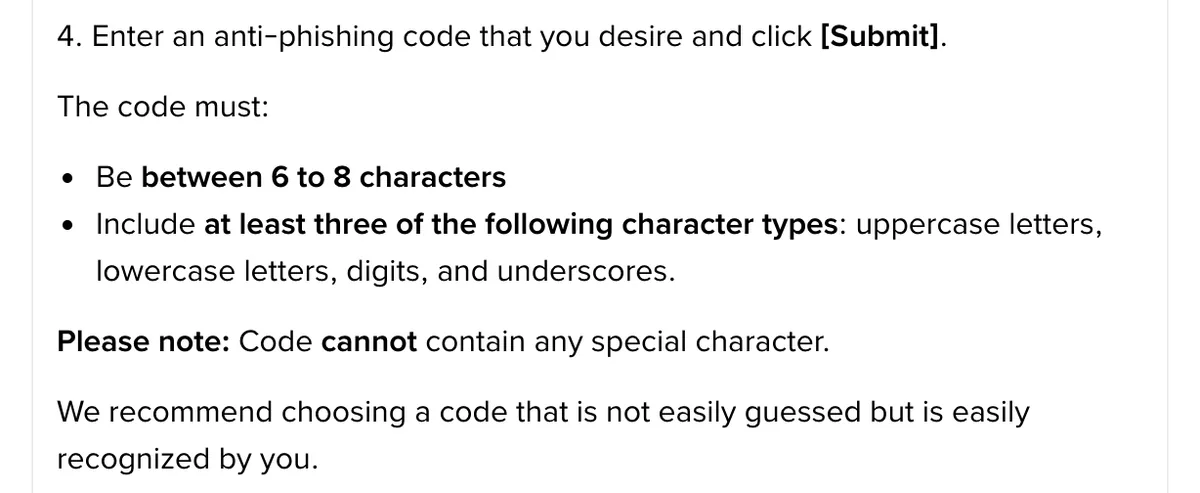
The anti-phishing code. This is a short code you set in your exchange account. Binance’s setup page says it is then included in all genuine emails and SMS from Binance. If the code is wrong or missing, the page says the message may be phishing and should be reported. Binance’s phishing SMS page is narrower: the code is attached to “certain SMS messages sent to users in selected countries”, at the very end of the text. So a missing code in an email is a strong warning sign. A missing code in a text is weaker evidence, and you should check the text another way. If you have not set a code yet, the steps are on the page about verification codes that do not arrive.
Binance Verify. Binance’s official verification page lets you enter a website address, email address, phone number, Telegram or social media account to check whether it is verified and officially from Binance. Type in the sender’s number, the email address or the link’s address rather than tapping anything. Note what the page itself says about its limits: “Binance Verify only assists identity verification. Verification does not grant authorization for any actions or listings.” Binance’s phishing SMS page also mentions uploading the text to its chatbot for an automated check.
B-01On screenThe text says: if this wasn't you, call this number
That is the pattern Binance’s phishing SMS page calls a scam. Do not call. Check the number in Binance Verify if you want to be sure, then delete the message.
Checked October 2026: Binance’s What Is an Anti-Phishing Code and How to Set It up on Binance? and How to Protect Your Crypto from Phishing SMS with Anti-Phishing Code?, with general advice from the FTC’s How To Recognize and Avoid Phishing Scams.
The message is genuine: secure the account
- Open the exchange by typing its address yourself, or through the app you installed earlier. Do not use a link from any message.
- Change the password.
- Review the account’s activity. On Binance, the app path is Profile, Account Info, Security, Account Activities. On the website it is Profile, Account, Security, Devices and Activities. Look for logins, devices or changes you do not recognise.
- Strengthen how you sign in. Binance’s SMS page names passkeys, BAuthenticator and Google Authenticator as 2FA options. If you do not have an anti-phishing code yet, set one now.
A password change triggers a hold on withdrawals. Binance’s page on reactivating withdrawals says that after security operations such as changing your password, the withdrawal function is suspended for 24 to 48 hours, and the suspension cannot be lifted early. Change the password anyway: the hold only delays your own withdrawals, and it protects them from anyone else for the same period.
Codes keep coming: should you disable the account?
Binance’s page on disabling an account says you can disable it if you notice suspicious activity, to protect your assets. In the app the entry is Account Info, Security, then Manage Account and Disable Account. On the website it is Account, Security, then Account Management, Disable Account and the Disable button.
This page’s view: if the activity list is clean, a new password and stronger 2FA are enough. Disabling also locks you out, and Binance’s unlock page says withdrawals and P2P transactions can take up to 48 hours to return after an unlock. The unlock steps are on the page about locked or disabled accounts.
B-02On screenCodes keep arriving, and the activity list shows a login I don't recognise
This is the case the disable page is for. Disable the account now from the path above. When you unlock it later, change the password and review your 2FA methods before anything else. If you cannot log in to do this, contact support through the official Binance website.
You have no account with that exchange
The FTC suggests one question for any message like this: do you have an account with the company? If not, it could be phishing. Report the message, then delete it. If the code is genuine, someone typed your number or email into a sign-up page. Keep the code to yourself, and do not open an account just to check.
When you can ignore the message
You can stop worrying about it once you have not entered or shared the code, you have checked the sender without using the message’s own number or link, and the account’s activity list shows only your own devices. If you have no account with that exchange, the first two checks are enough. A new message later does not undo this, but it does mean doing the same checks again.
Filed under these lines
T-2Verification codesT-10Scams