What you seeThe account asks for proof of source of funds
Binance source of funds proof: documents for salary, crypto gains, gifts and loans
“I earned this money. Why do I have to prove where it came from?” If that is what you are thinking while looking at the request, treat it as an anti-money-laundering check. It wants documents that line up with each other. Not a payment, and not an explanation in a chat box. Kraken’s help page on these requests says plainly that being asked does not mean you have done anything wrong.
What you actually do is short. On the verification page of the website or app, tick the category that matches where the money really came from, then upload the official documents for it. On Binance the review usually takes up to 3 to 10 business days. A name that doesn’t match your account, an editable file, or a cropped screenshot can each get a document rejected. The steps, document lists and format rules below come from two Binance Help Center pages, checked in November 2026: the Guide to Verifying Source of Wealth and Source of Funds and How to Complete Enhanced Due Diligence (EDD) Verification on Binance?
Source of funds vs source of wealth
The two terms sound alike. They ask for different things. Binance’s guide splits your “Money Story” into two parts:
- Source of funds: where the specific fiat or crypto you are depositing into the account came from.
- Source of wealth: how you built your total net worth over your lifetime. The guide says this is not just one paycheck; it can be your career, business ventures and inheritances added together.
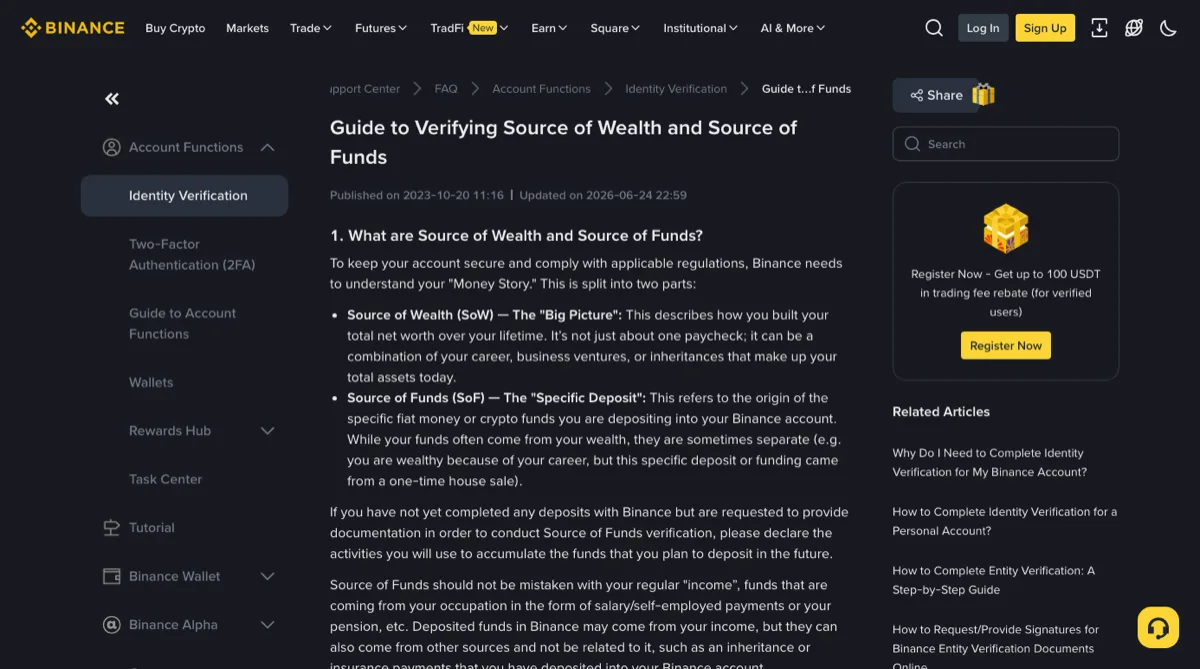
The guide notes that funds often come from your wealth, but not always. Its example is someone wealthy from their career whose deposit came from a one-time house sale. If the money you just deposited is saved salary, both declarations tell the same story. If it came from a relative while your savings mostly came from a business, explain each one separately.
Haven’t deposited anything yet but still got the request? The guide says to declare the activities you will use to build up the money you plan to deposit.
Why you? Binance’s guide points to anti-money-laundering (AML) and counter-terrorist-financing (CTF) rules. Kraken’s page is more concrete: it can simply be the country you live in, or your current situation, such as being a student or out of work. You may see claims online that depositing over a certain amount triggers the check. Neither page gives any amount, so don’t use one to judge your case.
Where to submit it on Binance, and how many business days the review takes
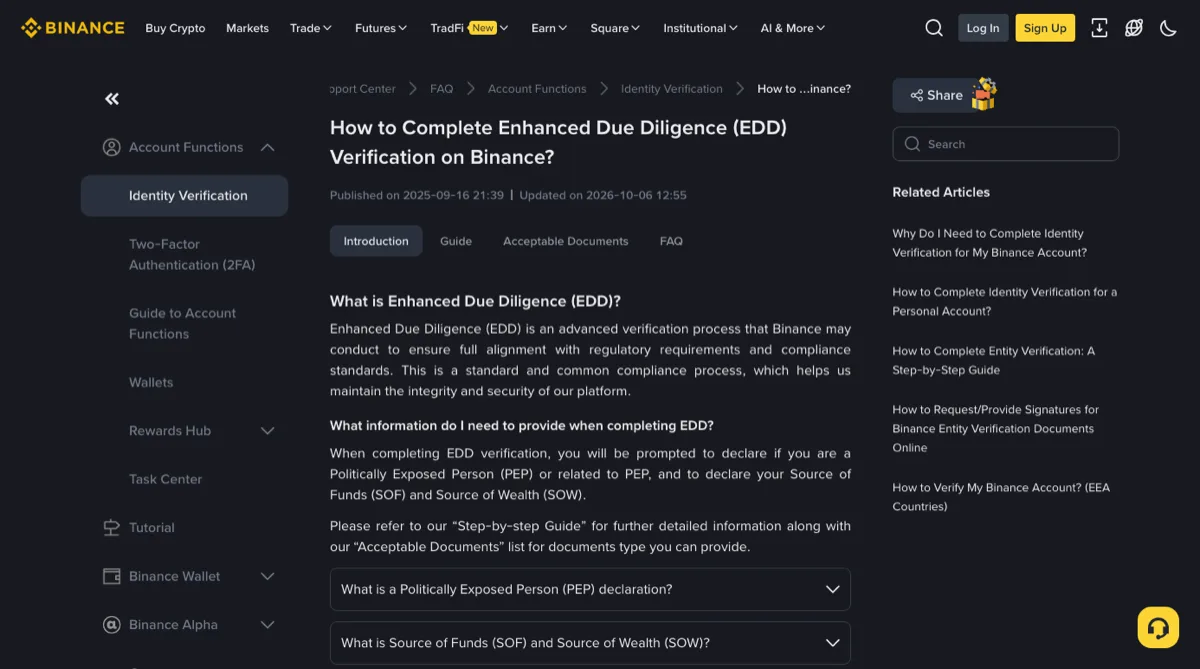
Following the EDD page, the website route is:
- Log in, hover over the profile icon, and go to [Account] then [Identification].
- Select [Verify Now]. The page asks you not to refresh the browser during the process.
- Declare whether you are a Politically Exposed Person (PEP) or related to one.
- Tick the sources that apply, complete the Source of Funds & Wealth Declaration, and upload the documents the page asks for.
Other exchanges name this page differently. Whatever the exchange, upload from inside the account you logged into yourself, never through a link someone sent you.
On timing, the EDD page says to allow up to 3 to 10 business days once the declaration is in, depending on case complexity and how complete the documents are. Resubmissions or follow-up requests can make it longer. You get an email and an app notification when it’s done. If you don’t comply, some features or services may be restricted or temporarily unavailable until verification is complete.
B-01On screenThe page first asks whether you are a Politically Exposed Person (PEP)
This covers more than you. The EDD page defines it as someone who holds or has held a significant public role, such as a senior government official or a high-ranking executive of a state-owned enterprise, and it also covers their immediate family and close associates.
Answer truthfully. Not sure whether a relative counts? Ask support through the official site or app before you answer. Don’t just tick “No” to get past it.
Seeing a frozen account or a withdrawal suspension instead of a verification request? That’s a different recovery path: see Binance account frozen or locked.
Pick the category that matches where the money came from
The guide’s document table runs through these sources:
- Business income
- Employment income, including self-employment
- Investment income, split four ways: crypto investments; financial investments such as stocks, bonds and forex; passive income, including rent and dividends; sale of real estate or other assets
- Loans, split into financial institution loans and personal loans
- Inheritance and donation
- Social benefits and family support
- Gambling and lottery
- Other (Please explain)
That’s twelve categories once the sub-types are counted. The tick boxes on the EDD form itself use different wording, grouped under Occupation / Business Income, Investment Activities and Family / Personal Background, with options such as Salary, Savings, Allowance, Gifts / Donation, Loans and Other. They don’t map one-to-one onto the list above. Tick what your form shows, then come back to the list for the documents.
The EDD form says to check all boxes that apply. If the deposit is part saved salary and part money from a relative, tick both and supply documents for each. If your situation fits none of them, use Other and explain.
For money from family, ask one question first: does it have to be paid back? No means inheritance and donation (or family support, if it’s a regular allowance; more on that below). Yes means a personal loan. The two need completely different paperwork. A gift declaration has to say the money is non-repayable; a loan contract has to spell out repayment terms. Don’t choose the one that looks easier to document. The EDD page warns that incomplete, unofficial or inconsistent documents may be rejected and cause significant delays, and a category that contradicts its documents is exactly that kind of inconsistency.
The next sections cover salary, crypto gains, a family gift and a personal loan. The other categories have their own lists on the guide page.
Salary: which documents to send
The guide lists four documents for employment income, each with what it must show:
- Payslips: official payroll documents covering the most recent 3 months, or the last 3 pay periods if you are paid weekly or biweekly. They show your name, your employer’s name, the pay period, the pay date and the salary amount, gross and/or net.
- Signed employment letter: dated within the last 3 months, on company letterhead. It gives your name, job title, employment status, start date, salary and pay frequency, plus the employer’s address, phone or email, and is signed by an authorised representative such as HR or a manager. If you are self-employed, an independent third party such as an external accountant or bookkeeper signs it.
- Tax statement: an official tax authority document for the latest available tax year, showing your name, tax ID, tax year and filing date, your employment income and, if available, the employer’s name, with an official receipt, e-filing reference or stamp.
- Bank statement: covering the most recent 3 months or the relevant period, showing your name, account number and bank name, with salary credits that show the date, amount and employer reference.
Check that the documents you submit agree with each other. The employer on the payslip should be the payer on the bank statement and the company on the letter. The salary in the letter should match the payslips. Same reason as before: inconsistent documents can be rejected.
The EDD page also answers two related cases. For self-employment, it accepts a recent tax statement or a bank statement from the last 3 months showing income payments; business registration is optional. Living on savings while unemployed: a bank statement from the last 3 months showing your full name and the savings balance.
Crypto trading profits: how to show where they came from
This is “Investment income - Crypto investments”. The list is longer than for salary:
- Crypto account statement: shows your trading activity for the declared period, in your name, with your UID and verified email address, the name of the exchange or platform, and your balance or asset values. If you made the profit on another platform and moved it over, export the statement from that platform.
- Crypto wallet screenshots: clearly linked to you, showing holdings, portfolio composition, current balance and wallet address. They must be recent and consistent with any exchange statements, blockchain records or tax documents you submit.
- ICO records: identify your wallet address and link it to you, identify the ICO’s receiving address, and show the transfers with dates, amounts and transaction hashes or equivalent blockchain references.
- Tax statement: the latest period, showing crypto-related gains, holdings, taxable events, or tax assessed or paid on crypto profits, with an official receipt, e-filing reference or stamp.
- Bank statement: covering the period when you sold, with your name, account number, bank name and statement period, clearly showing the money arriving from an exchange or wallet. The guide adds that more documents may be requested if the bank statement isn’t enough.
- Signed letter from a certified professional: signed and dated by a certified financial advisor, accountant or tax professional, with their name, title, registration number and contact details. It explains the nature of the investments, the original source of capital used and the approximate profit realised.
Look at that last item again: “the original source of capital used”. Trace crypto profits back far enough and you still have to say where the starting money came from. If it was salary, have the salary documents ready too.
Money a family member gave you: get a signed gift declaration
Money you never pay back goes under inheritance and donation. For a gift, two documents carry it:
- Signed gift declaration from the donor: dated within the last 3 months. It names the donor in full with their ID details, address, contact information and relationship to you. It names you as the recipient, states the amount and transfer date, confirms it is a gift (non-repayable where applicable), and is signed by the donor.
- Bank statement: it has to match the details in the declaration, show the account holder’s name and the bank’s name or logo, and clearly show the gift arriving: date, amount and donor details.
The guide also lists a tax statement here. Inheritance has its own documents, such as a certified will or distribution statement, which this page doesn’t go into.
Family money doesn’t always belong under gifts, though. The list has a separate category, social benefits and family support, which covers pensions and benefits but also family allowances. For that one the guide asks for a declaration signed by the supporting party, dated within the last 3 months, with their full name, ID details and relationship to you, the support amount and confirmation that it is non-repayable where applicable, plus a bank statement in your name from the last 3 months showing the transfers. The EDD form also lists Allowance and Gifts / Donation as separate boxes. A monthly allowance and a one-off lump sum fit different boxes; pick the one that describes what really happened. If you can’t tell, ask support from inside your account rather than forcing it into the other box.
Money borrowed from family or friends: what the loan contract must say
Money you agreed to pay back goes under “Loan - Personal loan”. Two documents:
- Contract confirming the loan, or an affidavit letter: full names of lender and borrower; the loan amount, currency, date and purpose; your relationship (family, friend or business associate); repayment terms, due date and whether interest applies; signed by everyone involved. An affidavit has to be officially notarised or certified.
- Bank statement: showing the account holder’s name, bank name and statement period, and clearly showing the loan deposit with its date, amount and sender details.
The guide marks this category with an asterisk: the lender’s ID and source of wealth may be requested. Tell the lender when you sign, so you aren’t chasing them halfway through the review.
A loan from a bank or regulated lender is a different category, “Loan - Financial institution loan”.
Before you upload, check each file against the “Golden Rules”
The guide has a section it calls the “Golden Rules”. Run every document through it:
- Issued in your name: it must match the name on your account. If the name on your verified profile was entered wrong in the first place, fix that first; see correcting a wrong name or country on Binance verification.
- Clear: your full name, the issuer’s logo and the date of issue must be readable. The guide asks for high resolution, 300 DPI.
- No edits: only PDF, JPG and PNG are accepted. Excel and Word files are generally rejected. Original PDFs are preferred.
- Recent: it should reflect your latest financial activity. The guide’s examples are payslips from the last 3 months or the most recent year’s tax filing.
- All four corners visible: no cropping, blurring or filters.
- Screenshots of the full page only: the URL, your or your company’s name, and the date must all be in the frame.
How recent counts as recent varies by exchange. Kraken’s page says documents must be dated within 24 months, with exceptions, and its list of file types also accepts .doc and .docx. A document one exchange accepts may be refused by another. Go by the rules of the exchange that asked you.
B-02On screenAll I have is an Excel statement exported from my banking app
Under Binance’s rules, Excel and Word are generally rejected. Get a PDF statement issued by the bank and check that it shows your name, account number, bank name and statement period.
If a screenshot is all you can get, capture the whole online-banking page with the URL, your name and the date visible. A crop of a few transaction rows does not meet the full-page rule.
A “tax” or “unfreezing fee” before you can withdraw is not a source of funds check
A real review only ever asks you for documents and declarations. Binance’s official verification tool, Binance Verify, states that Binance will never request funds or tokens via private communications.
“Pay the tax first”, “pay an unfreezing fee”, “deposit a bit more and then you can withdraw”: these are signs of fraud. None of them is part of the review.
Regulators and police have both written this one down. The US Commodity Futures Trading Commission’s advisory Watch Out for Fraudulent Digital Asset and “Crypto” Trading Websites says fraudsters sometimes ask investors to pay extra fees, such as so-called taxes, before they can withdraw fake “profits”; in a case it cites, the defendants asked victims to deposit more bitcoin to get their returns. A fraud warning from the Fujian Provincial Public Security Department in China (in Chinese) describes a fake platform’s “customer service” saying a withdrawal needed a 15% tax first, or the account would be frozen, and lists “taxes”, “profit shares” and “unfreezing fees” among what scammers collect. That 15% is the scammers’ invention, not a real tax rate.
If someone calling or messaging you claims to be support and is pushing you, check who they are first. How to do that is in fake Binance support calls and DMs.
When you’re asked for more documents, check two things
First confirm you are using the official exchange website or app. Then open your account’s verification request and check which documents it requires for the source you declared. A request for documents alone does not prove that a website or sender is genuine.
Stop if you hit any of these:
- You are told to send money, top up, or pay a tax, unfreezing fee or profit share before a withdrawal is released.
- You are asked to send your ID and statements through a private message, an unknown email address or a link they provide.
- Someone offers to “fix” your documents or lend you someone else’s statements. The documents should be genuine official ones in your name; inconsistent material, the EDD page says, may be rejected.
Keep the chat history and any payment receipts. If the request remains unclear, contact support from the official app before uploading personal documents.
Short answers
How long does a Binance source of funds review take?
Binance's Enhanced Due Diligence (EDD) page says to allow up to 3 to 10 business days after you complete the declaration. It adds that processing time depends on how complex the case is and how complete the documents are, and that resubmissions or extra requests can extend the review. You are notified by email and in the Binance App when it is done.
Where do I upload source of funds documents on Binance?
Inside your own account on the website or app. On the website, hover over the profile icon, go to [Account] then [Identification], select [Verify Now], answer the PEP question, then tick every source that applies and upload the files. Do not send these documents through private messages, unknown email addresses or links someone gives you.
How do I prove money a family member sent me?
If it never has to be paid back, prepare it as a gift: a gift declaration signed by the donor and dated within the last 3 months, giving their full name, ID details, address, contact details and relationship to you, the amount, the transfer date and that it is non-repayable, plus a bank statement showing the money arriving. If it does have to be paid back, it is a personal loan: a loan contract or notarised affidavit, plus a bank statement showing the loan deposit.
Filed under these lines
T-3Identity verificationT-8Account restrictions